Affiliate disclosure: This article contains an affiliate link. If you purchase through it, we may earn a commission at no additional cost to you. Our comments are based on the product information available to us; we have not independently tested every feature or verified the performance claims.
Keeping a TikTok account active takes more than uploading a clip once in a while. Creators need a steady stream of ideas, strong openings, clear scripts, engaging visuals, captions and a publishing routine. When several accounts or client projects are involved, the research and production work can quickly become a second job. This TokStar AI Review examines whether the software's advertised AI video and workflow tools could make those tasks easier — and where buyers should keep realistic expectations.
TokStar AI Review – Quick Overview
| Product | TokStar AI |
|---|---|
| Creator | Pranshu Gupta (as identified in supplied launch information) |
| Category | AI-assisted TikTok video creation and content workflow software |
| Advertised front-end | $17 launch price; subject to change and checkout confirmation |
| Feature set described | Trend research, ideas, scripts, captions, text/image-to-video, scheduling and analytics |
| Commercial use | Commercial license is advertised; read the actual license for permitted uses and restrictions |
| Optional upgrades | Seven OTOs are described in launch material |
| Refund terms | Not independently confirmed from the material reviewed; check the checkout terms |
| Product information page | TokStar AI product review reference |
This overview separates advertised information from items that still need confirmation. A launch page or affiliate brief is not a substitute for the current checkout and license documents.
Ready to Explore TokStar AI?
Discover how its AI video creation and scheduling tools could simplify your TikTok content workflow.
CHECK TOKSTAR AI OFFICIAL OFFERWhat Is TokStar AI?
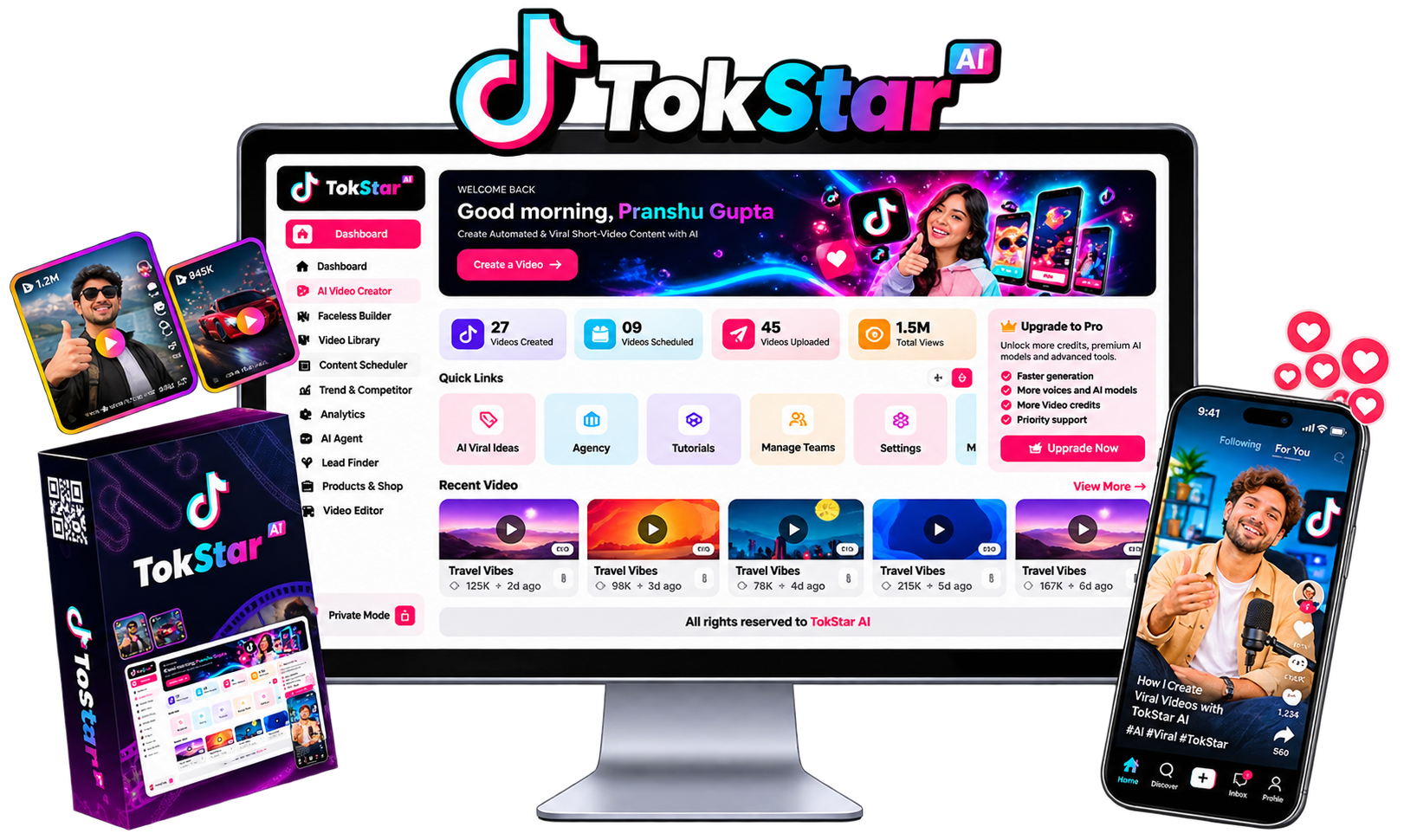
TokStar AI is marketed as a cloud-based toolkit for people who want to plan and produce TikTok content with help from artificial intelligence. The advertised workflow brings several jobs together: spotting content opportunities, developing a topic into a hook and script, generating a video from text or an image, preparing captions and hashtags, and organising posts for publication.
The idea is to reduce the number of separate steps a creator has to coordinate. Instead of switching between a trend-research tool, a writing assistant, a video editor and a scheduler, users are offered a central workspace. That can be convenient, but an all-in-one interface does not automatically mean every output is ready to publish. Review generated material for accuracy, originality, pacing, rights and suitability for your audience.
How Does TokStar AI Work?
The product materials describe a process along these lines. The exact screens and available options may differ by plan or change after launch.
- Open the dashboard. Sign in to the cloud workspace and locate the content creation area.
- Set up a workspace. Organise a channel, niche or content project so ideas and videos are easier to manage.
- Choose a creation method. Select a text-led video workflow or an image-to-video option, depending on the content you want.
- Provide the input. Enter a prompt or topic, or upload an image where the chosen tool supports it.
- Generate a draft. Use the AI output as a starting point for the video, hook, script, captions or related assets.
- Review and refine. Check factual claims, visuals, spelling, audio, timing and whether the opening gives viewers a reason to continue.
- Prepare publication. Download the file or use the scheduling and auto-posting functions if they are available and connected for your account.
- Manage the calendar. Review planned content and use available analytics to decide what to improve next.
Do not assume the software can publish to every account without setup. Social-platform permissions, account type, region, API availability and the plan's limits can affect automation.
TokStar AI Features – What Do You Actually Get?
Viral Trend Scanner
The advertised trend scanner is intended to help users identify topics or formats attracting attention. Treat its suggestions as research leads, not proof that a trend will work for your niche. Check whether a topic is still timely and whether you can add a useful angle rather than copying another creator.
Smart Content Ideas
An idea generator can help when a content calendar feels empty. For example, a fitness channel might request beginner-friendly topic angles, while a small business could brainstorm product demonstrations or frequently asked questions. The strongest ideas still need a clear audience and a reason to watch.
AI Script and Hook Writer
Hooks and scripts can provide a first draft for short-form videos. Edit the opening so it makes a specific promise the video can fulfil. Remove exaggerated claims, generic filler and unsupported statements before recording or generating the final clip.
Captions and Hashtags
Caption and hashtag suggestions may speed up packaging a post. Check that the caption accurately describes the video and that hashtags are relevant. A long list of loosely related tags is not a substitute for a focused topic and useful content.
AI TikTok Video Creator
The main video-generation proposition is to turn an idea or prompt into a short video draft. The usefulness depends on visual quality, available formats, generation limits and how much editing is needed. Inspect the output before publishing; AI can produce awkward transitions, mismatched imagery or incorrect details.
Image-to-Video and Text-to-Video
Image-to-video is described as a way to animate or add movement to a supplied image. Text-to-video aims to create a visual sequence from a written prompt. These modes can be useful for concept clips, visual explainers or faceless content, but check image rights and the consistency of generated scenes.
AI Series Maker and Ready-Made Niches
A series workflow can help turn one theme into several related posts, while ready-made niche options may offer starting points for different audiences. Use them as templates rather than publishing repetitive batches. Each post should deliver a distinct takeaway.
Video Library
The advertised library is intended to keep generated or prepared videos organised in one place. Before relying on it for client work, confirm storage limits, export quality, retention rules and whether assets remain available if a subscription or access period ends.
Daily Autopilot and TikTok Auto-Posting
Autopilot and auto-posting are among the more consequential claims. They suggest that users can prepare content and automate parts of the publishing routine. Verify which steps are genuinely automatic, whether posts require approval, how account connections work and what happens when a scheduled post fails. Automation should not remove editorial review.
Bulk Scheduling and Content Calendar
Bulk scheduling can help plan a week's content in one session. A calendar makes it easier to spot gaps, repeated topics and an unrealistic posting frequency. Confirm how many posts and accounts are supported on the base plan before building a workflow around it.
TikTok Analytics
Analytics are useful when they help answer practical questions: which topics earn meaningful watch time, where viewers stop watching and what prompts comments or profile visits. Check which metrics TokStar AI actually displays and whether they are available in the entry plan. No dashboard can guarantee audience growth.
Commercial License, Cloud Access and Watermarks
Launch material advertises commercial-use rights, cloud-based access and watermark-free output. These details matter to freelancers and agencies, but the precise license wording is what governs client work, redistribution and resale. Confirm whether commercial rights apply to all generated assets, whether attribution is required, and whether any third-party media or music has separate restrictions. Also test export quality and watermark behaviour on the plan you intend to buy.
TokStar AI Pricing – How Much Does It Cost?
The supplied launch information advertises a $17 front-end launch price. This should be treated as a promotional figure, not a guaranteed permanent price. The checkout is the source of truth for the amount charged, taxes, currency conversion, payment frequency and any time-limited offer.
The front-end is the entry point. Optional upgrades are presented separately in the sales funnel and may add higher usage limits, done-for-you resources, traffic-related tools or business licensing. Do not assume every feature listed in promotional material is included in the $17 version. Before paying, look for a plan comparison that identifies exact account limits, video credits, supported accounts, export restrictions and included integrations.
TokStar AI OTOs – Optional Upgrades Explained
The launch brief describes seven optional one-time offers. The price bands below are indicative figures from the supplied promotional summary, not independently verified live checkout prices. The offer page may show different prices, bundles or terms.
| Upgrade | Indicative advertised range | What it is positioned to add |
|---|---|---|
| OTO 1: Unlimited Pro | $67–$127 | Expanded usage or capacity for heavier content production. |
| OTO 2: DFY TikTok Empire | $97 | Done-for-you TikTok assets or setup resources intended to shorten the starting process. |
| OTO 3: Follower Engine | $47 | Additional audience-growth or follower-focused resources. Results are not guaranteed. |
| OTO 4: Traffic Automation Max | $37 | Additional traffic and automation tools as described in the offer. |
| OTO 5: Agency | $97–$197 | Agency-oriented functions for managing or serving clients. |
| OTO 6: Reseller | $67–$97 | Reseller rights or a resale business option; read the actual terms carefully. |
| OTO 7: White Label | $297 | Rebranding or white-label rights, subject to the license and included technical provisions. |
These are optional purchases, not prerequisites to trying the core product. Consider an upgrade only when its specific limit or business right solves a need you already have. For example, an individual creator may not need agency or white-label rights. A service provider should read the client-use and resale terms before offering anything to customers.
Check the Latest TokStar AI Pricing
Explore the current front-end offer, available upgrades and included features before making your decision.
VIEW TOKSTAR AI PRICINGBenefits of Using TokStar AI
Less repetitive setup
Ideas, scripts, captions and video drafts in one workflow may reduce the time spent moving between separate tools.
Faceless content options
Text- and image-led video creation may help creators who do not want to appear on camera.
More deliberate planning
A calendar and bulk scheduling can make a consistent publishing routine easier to manage.
Testing different topics
Idea and niche prompts can help compare content directions before investing heavily in one format.
Potential client workflow
Commercial-use permissions may be relevant to freelancers, provided the license explicitly allows the intended service.
Centralised organisation
A video library and calendar may make it easier to track drafts and planned posts.
These are workflow benefits, not promises of more views, followers, sales or income. Your results depend on audience fit, creative quality, consistency, platform rules and how well you use the tools.
TokStar AI Pros and Cons
Potential advantages
- Beginner-oriented content workflow.
- Multiple advertised AI video creation options.
- Ideas, scripts, captions and hashtags in the same toolkit.
- Scheduling and calendar features are described.
- Cloud access can support work across devices.
- Commercial-use opportunity, subject to license terms.
- Advertised one-time entry price.
Things to consider
- Generated videos may need substantial editing.
- TikTok reach and growth cannot be guaranteed.
- Some advanced features may require paid upgrades.
- Auto-posting depends on integrations and account permissions.
- Base-plan limits need to be checked.
- Commercial rights may have exclusions.
- Launch pricing and coupon availability can change.
Who Should Consider TokStar AI?
Beginners may appreciate having prompts, scripts and video options in one place, although they should expect to learn how to edit and evaluate AI output. Faceless creators may find text-to-video and image-to-video workflows worth exploring. Affiliate marketers and small businesses may use it to draft product explainers or educational clips, provided claims are accurate and platform policies are followed.
Freelancers and social media managers may be interested in batch planning and client workflows, but should first confirm the commercial license, number of supported accounts and agency limits. Video agencies should compare the cost of upgrades with their real production volume and quality-control needs.
It may be a poor fit if you need advanced manual editing, guaranteed audience growth, complete hands-off publishing, or a proven track record of performance before you commit. It is also not a substitute for a content strategy or knowledge of your audience.
Is TokStar AI Legit or a Scam?
Based on the information available for this review, TokStar AI is being promoted as a software product with a defined feature set and an affiliate sales funnel. That alone is not enough to independently certify its reliability, performance or business claims. We have not conducted a hands-on test of the live dashboard, verified every integration or independently confirmed the vendor's support and refund process.
Before buying, check the seller identity and support contact, the checkout domain, the exact deliverables, the current refund policy, recurring-charge disclosures, privacy terms and commercial license. Look for a working demo or screenshots that show the actual interface rather than generic promotional graphics. If auto-posting is important, ask which TikTok account types and permissions are supported. If the offer makes claims about followers or traffic, treat them as marketing claims rather than promised outcomes.
TokStar AI vs Traditional TikTok Video Creation
| Task | Traditional workflow | AI-assisted workflow described |
|---|---|---|
| Research | Search trends and competitor content manually. | Use trend and idea suggestions, then validate them yourself. |
| Scripting | Write hooks and scripts from scratch. | Generate a draft and edit it for accuracy and voice. |
| Visual production | Record footage or edit sourced assets. | Generate from text or images where supported, then quality-check. |
| Publishing | Upload and schedule each post manually. | Use calendar or auto-posting tools if your plan and account support them. |
| Measurement | Review platform analytics manually. | Use available dashboard metrics alongside native TikTok analytics. |
The AI-assisted route may reduce repetitive work, but it introduces its own review tasks. Human judgement remains important for originality, storytelling, rights, accuracy and audience trust. The best workflow is the one that produces useful content consistently — not simply the one that generates the most clips.
Is TokStar AI Worth Buying?
TokStar AI may be worth investigating if your main bottleneck is producing and organising short-form video drafts, and if the live feature set matches what you need. The advertised $17 entry price may make it a relatively low-cost way to evaluate the workflow, but only the current checkout can confirm the amount and terms. Do not buy every OTO just because it appears during checkout.
It is sensible to start by identifying one specific task you want to improve: generating first-draft scripts, turning images into clips, planning a calendar or managing multiple channels. Then check whether that function is included in the base plan, what limits apply and whether the upgrade price is justified by your expected usage. If you cannot verify the feature or license you need, wait until the seller clarifies it.
Frequently Asked Questions About TokStar AI
1. What is TokStar AI?
TokStar AI is marketed as an AI-assisted TikTok content platform combining idea generation, scripting, video creation and publishing workflow tools.
2. How much does TokStar AI cost?
The supplied launch brief advertises a $17 front-end price. The live checkout may differ, and optional upgrades are priced separately.
3. Does TokStar AI create faceless TikTok videos?
Its advertised text-to-video and image-to-video functions are intended to support faceless content workflows. Review the actual output and plan limits before relying on them.
4. Can TokStar AI automatically publish videos?
Auto-posting is listed as a feature in the supplied materials. Availability can depend on account connection, permissions, plan limits and current platform integrations.
5. Does TokStar AI support multiple TikTok accounts?
The exact account allowance should be confirmed in the current plan comparison or checkout. Do not assume multi-account access is unlimited.
6. Does TokStar AI include a commercial license?
A commercial license is advertised. Read the license itself to understand permitted client work, resale, redistribution, attribution and excluded assets.
7. Are TokStar AI upgrades necessary?
No. The upgrades are presented as optional. Whether you need one depends on usage limits and the specific rights or tools you require.
8. Can beginners use TokStar AI?
The product is positioned for a beginner-friendly workflow, but users still need to review AI output, understand TikTok content practices and learn the dashboard.
9. Does TokStar AI guarantee TikTok monetization?
No such guarantee should be assumed. Monetization depends on TikTok's current eligibility rules, account standing, region and the creator's content and audience.
10. Is TokStar AI worth buying in 2026?
It may suit creators who want AI-assisted production and planning. Compare the current price, included limits, upgrade requirements and refund terms before deciding.
Final Verdict – Should You Try TokStar AI?
TokStar AI is positioned as a combined toolkit for TikTok research, content ideation, scripting, video generation and scheduling. Its most interesting proposition is the attempt to connect several repetitive parts of short-form production in one cloud workspace. For a beginner or creator who needs help getting from an idea to a planned video, that kind of workflow could be useful.
The important qualifications are just as significant: the advertised features and prices need to be checked against the live offer, advanced functions may sit behind OTOs, generated content still needs human review, and neither automation nor an AI video tool guarantees reach or monetization. We have not independently tested the platform, so this is an information-based review rather than a hands-on performance report.
If the current base plan includes the particular creation and scheduling functions you need, and the checkout terms are clear, the entry offer may be worth considering. If you need specific account limits, client rights or white-label functionality, verify those details in writing before purchasing an upgrade.
Want to Give TokStar AI a Try?
Visit the offer page to review the latest package details, terms and refund policy before making a decision.
GET TOKSTAR AI ACCESSEditorial Notes, Images and SEO Details
Product and pricing disclaimer: Product features, availability, pricing, coupons, upgrades and refund terms may change. The seller's current sales page, checkout, license and support documentation take precedence. This article is for informational purposes and is not financial or business advice.
TikTok disclaimer: TikTok is a third-party platform. Features, API access, account permissions, community guidelines and monetization eligibility can change. Follow current TikTok policies and disclose commercial relationships where required.
Suggested image SEO
- tokstar-ai-dashboard-overview.webp — Alt: TokStar AI dashboard overview for TikTok content planning — Place near “What Is TokStar AI?” Use an actual product screenshot only if available.
- tokstar-ai-text-to-video-generation.webp — Alt: AI TikTok video generation workflow in TokStar AI — Place in the video creation feature section.
- tokstar-ai-content-scheduling-calendar.webp — Alt: TikTok content scheduling calendar and planned video posts — Place near scheduling features.
- tokstar-ai-pricing-and-oto-guide.webp — Alt: TokStar AI front-end pricing and optional upgrade overview — Place near pricing. Ensure figures match the live offer.
- tokstar-ai-features-overview.webp — Alt: TokStar AI features for ideas, scripts, video creation and publishing — Place after the feature overview. Label any illustrative graphic as conceptual.
Suggested internal reading
Explore our ViralVault AI 2.0 review for another look at AI-assisted digital marketing software. Add other internal links only after their exact live URLs are confirmed.
SEO publishing details
- SEO title: TokStar AI Review 2026: Features, Pricing & OTOs
- Meta description: Read this TokStar AI Review 2026 to explore its TikTok video tools, automation features, launch pricing, optional upgrades, limitations and buying considerations.
- Permalink: https://samdigimarketer.com/tokstar-ai-review2026
- Focus keyword: TokStar AI Review
- Secondary keywords: TokStar AI, TokStar AI App, TokStar AI Software, TokStar AI Pricing, TokStar AI Features, TokStar AI OTO, TokStar AI Review 2026, TokStar AI Discount, TokStar AI Coupon Code, TokStar AI Commercial License, AI TikTok Video Generator, TikTok Automation Software, Faceless TikTok Channel Creator.
- WordPress excerpt: Is TokStar AI worth considering? Explore its advertised TikTok video creation, AI scripts, content planning, auto-posting features, $17 launch price and optional upgrades.
- Featured image filename: tokstar-ai-review-2026-featured.webp
- Featured image alt: TokStar AI Review 2026 covering AI TikTok video creation, scheduling and pricing.
Affiliate CTA destinations: All three buttons above point to https://launchpadjv.com/o/627/7514. No additional affiliate links are included.
Suggested FAQ schema questions
- What is TokStar AI?
- How much does TokStar AI cost?
- Does TokStar AI create faceless TikTok videos?
- Can TokStar AI automatically publish videos?
- Does TokStar AI support multiple TikTok accounts?
- Does TokStar AI include a commercial license?
- Are TokStar AI upgrades necessary?
- Can beginners use TokStar AI?
- Does TokStar AI guarantee TikTok monetization?
- Is TokStar AI worth buying in 2026?