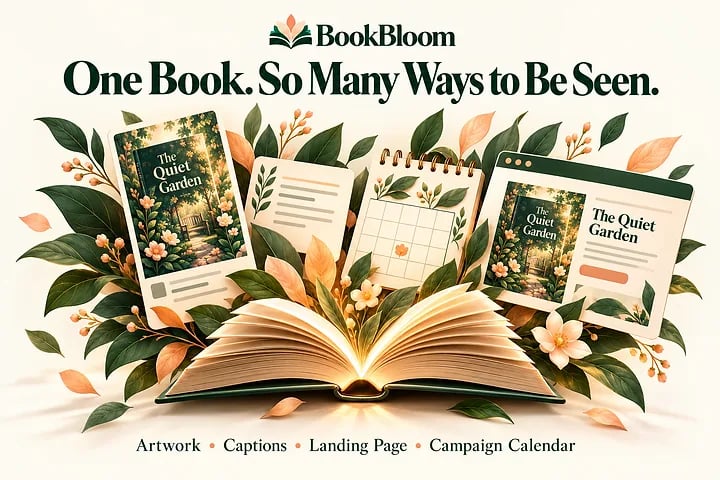
Publishing a book is only one part of building an author business. Once a title is available, readers still need to discover it. Authors often create social posts, graphics, email promotions and book descriptions, but planning those activities consistently can become a project of its own. Pinterest is one possible discovery channel because Pins can lead people to a book page, retailer listing or author website over time.
BookBloom is marketed as a tool to help authors organize that kind of promotion. The supplied product information describes a 30-day Pinterest plan, AI-generated artwork that can incorporate the actual book cover, a hosted book page, pin downloads, CSV import and per-pin destination link tracking. It also includes a Promotion Finder intended to help users identify promotional opportunities.
This review uses the supplied BookBloom launch and affiliate information as its source for features and prices. That material is promotional rather than an independent product test, so we distinguish vendor-described features from items buyers should verify. Sales-page examples and affiliate commissions are not evidence of typical author outcomes.
BookBloom at a Glance
Planning and preparing Pinterest promotions for books and author titles.
$17 one-time, according to the supplied offer sheet; verify the live checkout.
A 30-day Pinterest promotion plan with pin artwork and destination links.
Self-published authors, KDP publishers and book marketers.
AI artwork using the buyer's own AI key, with the actual book cover placed on artwork.
The author publishes through their own Pinterest account; automatic pin posting is not included in the described workflow.
What Is BookBloom?
BookBloom is presented as a book-promotion system that helps authors prepare a Pinterest campaign rather than manually assembling every promotional asset from scratch. The central idea is to start with a book, create a month-long promotional plan, prepare book-related Pins and direct each Pin to an appropriate destination.
The supplied information describes artwork generation through the buyer's own AI key. It says the system places the real book cover onto generated artwork. A hosted book page is also described, and each Pin can have its own destination link with click tracking.
BookBloom should not be confused with a fully autonomous Pinterest scheduler. According to the offer material, users download or prepare Pins and publish them through their own Pinterest business account. It does not automatically post Pins on the user's behalf. It can organize campaign preparation, but the author still reviews and publishes the content.
How the 30-Day BookBloom Workflow Is Intended to Work
- Start with your book. Add the title and relevant details. Review book information and retailer destinations before using them in promotional assets.
- Build the campaign plan. The front-end offer describes a 30-day Pinterest plan. Use it as a publishing calendar and adapt it to your audience and book.
- Create pin artwork. The AI artwork workflow uses your own AI key and can place the actual book cover on the generated image. Check legibility, cover accuracy and wording.
- Prepare the book page. The hosted book page gives campaign traffic a destination. Check it on mobile and confirm its links and call to action.
- Assign destination links. Per-Pin destination links and click tracking can help distinguish which creative or topic sends visitors where, provided links are configured correctly.
- Export and publish. Artwork downloads and calendar/CSV workflows are described. Publish through your own Pinterest business account.
- Review performance. Compare click information with Pinterest analytics and retailer or website reporting. A click is not a book sale, read-through or royalty.
The practical value depends on whether the process saves time and produces creative you are happy to publish. A calendar is a starting point, not a guarantee of reach. Adapt the plan to your genre, audience, book format and destination page.
BookBloom Features Described in the Offer
30-day Pinterest campaign plan
The front-end offer includes a 30-day Pinterest plan to organize a month of book promotion. A calendar is most useful when each Pin has a clear topic, angle and destination. Check whether the schedule can be edited and whether the content fits your actual book.
AI pin artwork using your own AI key
The offer says users generate AI artwork using their own AI key. Understand which AI provider is supported, any usage charges and how the key is handled. The product information also describes placing the actual book cover on artwork. Inspect cover proportions, title legibility and image composition.
Hosted book page
A hosted book page gives campaign traffic a destination. Check the title, cover, description, retailer button and mobile layout. Confirm customization and domain options if those matter to your workflow.
Pins, downloads and CSV import
The supplied information describes pin downloads and a CSV import workflow. These can help move assets into a separate publishing process. Verify the required CSV columns and compatibility with your preferred scheduler; not every tool accepts the same format.
Per-pin links and click tracking
Each Pin can be assigned a destination link, with click tracking described in the offer. Clicks show activity, not necessarily qualified readers, purchases or royalties. Use retailer reporting where available to assess the next step.
Promotion Finder
The front-end offer lists a Promotion Finder for identifying promotional opportunities. Check the in-app results, freshness, genre coverage and whether any opportunity has additional requirements or fees.
What You Need Before Starting
- A book to promote: Prepare an accurate cover image, title, description and destination URL.
- A Pinterest business account: The offer says a free Pinterest business account is required. Follow Pinterest's current account rules.
- Your own AI key: The artwork workflow uses the buyer's own AI key. Check the supported provider, billing and key security.
- Time to review and publish: The described workflow does not automatically publish Pins. You remain responsible for checking and posting the campaign.
- Rights to assets: Use covers, images, fonts and creative elements you own or are licensed to use. Review AI provider terms and Pinterest policies.
BookBloom Pricing: Front End and Optional Upgrades
The supplied offer sheet lists BookBloom at $17 one-time. It also lists five individual upgrades and a VIP bundle. These are offer-sheet prices, not a guarantee that the live checkout will remain unchanged. Confirm amount, currency, billing type and contents on the checkout before buying.
| Offer | Price | What the offer sheet describes |
|---|---|---|
| BookBloom front end | $17 | 30-day Pinterest plan, AI artwork workflow, hosted book page, pin downloads/CSV workflow, per-pin destination links and Promotion Finder. |
| OTO 1 — Pro | $37 | More active books, batch workflows, premium editable layouts, brand presets and additional campaign/video features. |
| OTO 2 — Traffic | $47 | Free-promotion planner, channel-fit planning, 7-day plan, reusable promo pack, ad images, carousels, outreach and platform copy. |
| OTO 3 — Reader Builder | $37 | Companion bonus creator, opt-in pages, bonus delivery and email sequences; some integrations are listed as updates. |
| OTO 4 — Amazon Ads | $47 | Campaign structure, keyword/product targeting, starting bids, negative keywords, break-even CPC and bulk upload workflow. |
| OTO 5 — Agency | $97 | Client and retainer records, onboarding/approval workflow, proposals, deliverables, reports and service-package tools. |
| VIP bundle | $197 | Bundle of the five upgrades; the offer sheet describes $265 in upgrades for $197, a stated $68 saving. |
The offer sheet lists a full funnel value of $282 when the $17 front end and five individual upgrades are counted. The VIP bundle is described as a $197 alternative covering the five upgrades. These are vendor offer calculations, not a recommendation that every buyer needs every upgrade.
Upgrade details to check
Pro ($37): Expanded active-book capacity, batch workflows, editable premium layouts and brand presets. It also mentions Video Studio storyboards/rendered clips, unlimited storyboards and Netlify publishing. The source distinguishes features available now from future updates; verify current availability.
Traffic ($47): Promotion beyond Pinterest, including a free-promotion planner, channel-fit suggestions, a seven-day plan, reusable assets, ad images, carousels, outreach plans and platform copy. Some video and unlimited content capabilities are listed as updates; check what is live.
Reader Builder ($37): Companion bonuses, opt-in pages, bonus delivery and email sequences. Subscriber export and email integration are listed among updates. Confirm that integrations are available and compatible with your provider.
Amazon Ads ($47): Campaign structure, keyword/product targeting, starting bids, negative keywords and a break-even CPC calculation based on author royalty. Treat recommendations as planning inputs, not guaranteed settings or performance.
Agency ($97): Client records, retainers, onboarding and approval links, proposals, deliverables, monthly reports and service tools. Some client-workspace and branded-report capabilities are listed as updates, so confirm release status before buying for agency use.
VIP bundle ($197): The supplied material says it includes Pro, Traffic, Reader Builder, Amazon Ads and Agency. It is priced at $197 versus the stated $265 combined upgrade value. The sheet lists a $98.50 affiliate commission on the bundle; that is an affiliate-program detail, not an additional customer saving.
BookBloom Pros and Limitations
A defined 30-day workflow; book-focused pin artwork; use of the real cover; a hosted book page; per-Pin destination links; downloads and CSV-based campaign organization.
Requires your own AI key and Pinterest business account; manual publishing remains with you; AI artwork needs review; advanced features may require upgrades; clicks do not guarantee sales.
The strongest point in the described front-end is the connection between the campaign plan, creative assets and destination links. Authors can find it cumbersome to keep those pieces organized across separate tools. A single workflow may reduce setup and repetitive work, particularly for publishers managing several titles.
The main limitation is that campaign preparation is not distribution or conversion. You still need a suitable book, accurate listing, compelling cover and description, relevant Pinterest content and a consistent publishing habit. The buyer-provided AI key also means image-generation costs may sit outside the BookBloom purchase price.
Who Should Consider BookBloom?
BookBloom may be worth evaluating if you are a self-published author, KDP publisher or book marketer who wants a structured Pinterest campaign for one or more titles. It may be relevant if you already use Pinterest, have a business account and are comfortable reviewing and publishing Pins yourself.
It may be less suitable if you expect automatic Pinterest posting, sales without ongoing marketing or finished creative without human review. It may also be a poor fit if you do not want to use a separate AI provider key or if required upgrades push the total cost beyond your budget.
How to Evaluate BookBloom Before Buying
- Confirm the live front-end price and whether it is one-time or recurring.
- Check the AI provider and API key requirements, including separate usage fees.
- Verify that the campaign, book page, downloads and click tracking are in the front-end license.
- Check CSV compatibility with your publishing workflow.
- Distinguish currently available upgrade features from promised updates.
- Read the vendor's refund policy and guarantee conditions.
- Test a small campaign and inspect every graphic, link and page before publishing at scale.
Guarantee and Refund Considerations
The supplied offer material describes a 30-day first-campaign guarantee. It says the buyer should set up and use the first campaign and show genuine effort if it does not deliver. This is not the same as an unconditional refund promise. Read the complete current guarantee and refund terms, including evidence requirements, time limits and the request process.
Frequently Asked Questions
How much does BookBloom cost?
The supplied offer sheet lists a $17 one-time front-end price. Confirm the current checkout price, currency and billing terms.
Does BookBloom automatically post Pins?
No. The supplied information says users publish through their own Pinterest account. The workflow prepares and organizes the campaign rather than automatically posting Pins.
Do I need an AI API key?
Yes, the offer says the AI artwork workflow uses the buyer's own AI key. Check the supported provider and separate usage costs.
Do I need a Pinterest business account?
The supplied requirements say a free Pinterest business account is needed. Follow Pinterest's current setup and publishing requirements.
Can I put my actual book cover on the AI artwork?
The offer describes placing the actual book cover onto generated artwork. Review each result for accuracy and readability.
What is included in the $17 front end?
The offer sheet lists the 30-day plan, AI artwork workflow, hosted book page, pin downloads/CSV workflow, per-pin links/click tracking and Promotion Finder.
Are the upgrades required?
They are presented as optional. Compare the live feature list with the front-end before deciding whether an upgrade is useful.
Does BookBloom guarantee book sales or royalties?
No. A campaign tool cannot guarantee reach, clicks, purchases, reviews or royalties. Results depend on the book, audience, creative and publishing consistency.
Is the 30-day guarantee unconditional?
The supplied material describes a first-campaign guarantee with setup, use and genuine-effort conditions. Read the vendor's current terms to understand eligibility and the request process.
Final Verdict: Is BookBloom Worth Exploring?
BookBloom is positioned as a practical campaign-preparation tool for authors who want to promote books on Pinterest. Its $17 front-end offer, as listed in the supplied offer sheet, combines a 30-day plan with AI-assisted pin artwork, a hosted book page, downloads/CSV workflow, per-pin links and click tracking. Those pieces address a real organizational challenge for authors who want to promote titles consistently.
The caveats matter: you need your own AI key and a Pinterest business account, and you still publish Pins yourself. Optional upgrades add broader promotional, reader-building, Amazon Ads and agency workflows, but some capabilities are identified as updates in the source material. Confirm availability and total cost before deciding whether an upgrade or VIP bundle is worthwhile.
Our verdict is to consider BookBloom if you want help organizing Pinterest promotion and are willing to review and publish the campaign yourself. Start with the core offer, verify the current terms and test a small campaign before committing to upgrades. Treat it as a workflow assistant—not a shortcut to guaranteed traffic or book income.
Ready to Check the BookBloom Offer?
Review the current sales page and checkout for the latest front-end price, upgrade details, guarantee conditions and feature availability.
Check BookBloom Offer & Pricing ↗Affiliate disclosure: This page contains an affiliate link. We may receive a commission if you purchase through it, at no extra cost to you. This review is based on supplied promotional materials and is not an independent hands-on test. Product features, pricing and terms may change.